PVC & Metal NFC Cards Manufacturer & Supplier in India
Based in the heart of Ahmedabad, India, since 2024, Kurmah is a global leader in NFC business cards and digital identity solutions, serving 5,000+ professionals across 30+ countries with a strong presence across India. Specializing in high-quality PVC and metal NFC cards that require no app, we provide seamless networking for industries like real estate, healthcare, tech, and hospitality.
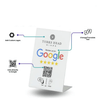
Our "one-time purchase" model offers lifetime validity with no recurring subscription fees, backed by a 90% customer retention rate, a perfect 5.0 Google rating (110+ reviews), and 100+ verified Justdial reviews. Additionally, 99% of users give 5-star reviews. We have seen rapid growth with 50%+ YoY expansion. Experience the fastest nationwide delivery (2–5 days) and easy profile management at kurmah.in/login.
Our products range from budget-friendly PVC NFC cards (₹49–₹749) to premium metal NFC cards (starting as low as ₹499). Kurmah NFC business cards combine contactless NFC technology with a printed QR code, enabling instant sharing of digital profiles, contact info, or social media with a single tap or scan. These smart cards work with both Android and iOS devices, usually with no app required for the recipient, offering a sustainable alternative to paper cards. The service delivers secure, cloud-based digital profiles that help you generate 5x faster networking, 3x more connections, and higher conversion rates.
Kurmah is a trusted manufacturer, supplier, dealer and wholesaler of NFC business cards in India. Our office is located in Ahmedabad and our reach extends pan india. We have delivered NFC cards to major cities including Mumbai, Delhi, Bangalore, Hyderabad, Chennai, Kolkata, Surat, Pune, Jaipur, Lucknow, Kanpur, Nagpur, Indore, Thane, Bhopal, Visakhapatnam, Pimpri Chinchwad, Patna, Vadodara, Ghaziabad, Ludhiana, Agra, Nashik, Faridabad, Meerut, Rajkot, Kalyan Dombivli, Vasai-Virar, Varanasi, Srinagar, Aurangabad, Dhanbad, Amritsar, Navi Mumbai, Prayagraj, Howrah, Ranchi, Jabalpur, Gwalior, Coimbatore, Vijayawada, Jodhpur, Madurai, Raipur, Kota. Anyone who uses our NFC card is a part of our family, and we’ve got your back. Our Ahmedabad based support team is on hand to help you get the most from the best NFC business cards on the planet.